Lecture 09 Switch
Joseph Haugh
University of New Mexico
Free Recall
- Get out a sheet of paper or open a text editor
- For 2 minutes write down whatever comes to mind about the last class
- This could be topics you learned
- Questions you had
- Connections you made
Many Branches
- Many times we need choose one of many branches to take based on a value
- For example, say we wanted a function which told us the season based on the month:
String monthToSeason(String m) {
    if (m.equals("dec") || m.equals("jan") || m.equals("feb")) {
        return "winter";
    } else if (m.equals("mar") || m.equals("apr") || m.equals("may")) {
        return "spring";
    } else if (m.equals("jun") || m.equals("jul") || m.equals("aug")) {
        return "summer";
    } else {
        return "fall";
    }
}
Many Branches
String monthToSeason(String m) {
    if (m.equals("dec") || m.equals("jan") || m.equals("feb")) {
        return "winter";
    } else if (m.equals("mar") || m.equals("apr") || m.equals("may")) {
        return "spring";
    } else if (m.equals("jun") || m.equals("jul") || m.equals("aug")) {
        return "summer";
    } else {
        return "fall";
    }
}- This works but is cumbersome
- Can we do better?
- Of course! We can use switches
Switch Expressions
- Switches allow use to more easily express code which needs multiple branches
- It also allows to easily express branches which have multiple conditions for being taken
- In our previous example we saw this with need to check if our month was one of three options
- Today we will talk about one type of switch called a switch expression
- Switch expressions as their name implies must have a value
Switch Expression Details
Switch expressions have the following syntax:
switch (<<switchTarget>>) {
    case <<pattern>> -> <<result>>;
    case <<pattern1>>, <<pattern2>>, ... -> <<result>>;
    ...
};
Switch expressions have the following semantics:
- Check the cases from top to bottom
- Once a matching case is found return the corresponding result
Let’s try to rewrite our season function with switches
Example: Seasons
String monthToSeason(String m) {
    if (m.equals("dec") || m.equals("jan") || m.equals("feb")) {
        return "winter";
    } else if (m.equals("mar") || m.equals("apr") || m.equals("may")) {
        return "spring";
    } else if (m.equals("jun") || m.equals("jul") || m.equals("aug")) {
        return "summer";
    } else {
        return "fall";
    }
}
Example: Seasons
String monthToSeason(String m) {
    return switch (m) {
        case "dec", "jan", "feb" -> "winter";
        case "mar", "apr", "may" -> "spring";
        case "jun", "jul", "aug" -> "summer";
        default -> "fall";
    };
}- Notice that we can now easily express each case where we want to take a particular branch
- Also note that we are returning the entire switch!
What Can You Switch On
- Originally switches only worked on specific primitive types:
- int
- char
- short
- byte
- However, since then we can also switch on Strings
- We cannot switch on:
- long
- float
- double
String Matching Is Exact
- Note than when using switch over strings all the letters must match exactly
- For example, a capital “A” is not the same as a lowercase “a”
Example: HTTP Status Codes
- Have you ever encountered an error like this?
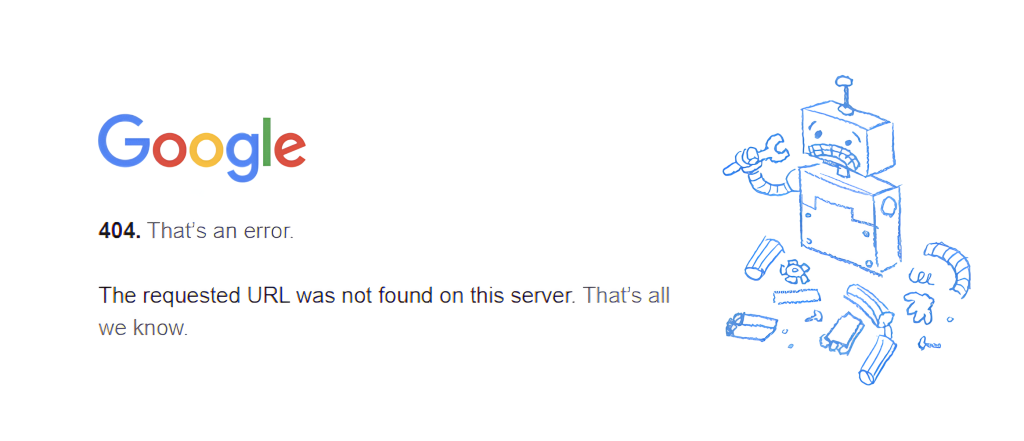
- 404 is what’s called an HTTP Status Code
Example: HTTP Status Codes
- Let’s try to write a function which takes in an HTTP status code and returns an appropriate message:
String decipherStatusCode(int code) {
    return switch (code) {
        case 100 -> "continue";
        case 200 -> "ok";
        case 204 -> "no content";
        case 301 -> "permanently moved";
        case 400 -> "bad request";
        case 401 -> "unauthorized";
        case 404 -> "not found";
        case 410 -> "gone";
        case 502 -> "bad gateway";
    };
}- As it stand this code won’t work
- Why?
- We didn’t cover every case!
- Switch expressions must be exhaustive, meaning they cover every case
- This is where the default keyword comes in
Default Keyword
- default allows us to add a catch-all case
- We need to add one to our previous code:
String decipherStatusCode(int code) {
    return switch (code) {
        case 100 -> "continue";
        case 200 -> "ok";
        case 204 -> "no content";
        case 301 -> "permanently moved";
        case 400 -> "bad request";
        case 401 -> "unauthorized";
        case 404 -> "not found";
        case 410 -> "gone";
        case 502 -> "bad gateway";
        default -> "unknown code: " + code;
    }
}
CodingBat Compatibility
- It should be noted that switch expressions are a relatively new feature of Java
- If you are using CodingBat for extra practice you will not be able to use switch expressions on that platform
- What preceded switch expressions then?
Switch Statements
- Disclaimer: I recommend using switch expressions in most cases
- However, you should know about alternatives
- Switch statements perform the same task as their expression counterpart however, they have different semantics
- Most notably they have fall through behavior
Switch Statements
Switch statements have the following syntax:
switch (<<switchTarget>>) {
    case <<pattern>>:
        <<bodyStatements>>;
    case <<pattern>>:
        <<bodyStatements>>;
    ...
}
Switch statements have the following semantics:
- Check the cases from top to bottom
- Once a matching case is found perform the corresponding bodyStatements, continue evaluating subsequent bodyStatements until reaching the end of the switch or a break statement, i.e. fall through
:::
Example: Seasons Revisited
- Recall, our seasons example written with switch expressions:
String monthToSeason(String m) {
    return switch (m) {
        case "dec", "jan", "feb" -> "winter";
        case "mar", "apr", "may" -> "spring";
        case "jun", "jul", "aug" -> "summer";
        default -> "fall";
    };
}
Example: Seasons Revisited
- Here it is with switch statements:
String monthToSeason(String m) {
    String season;
    switch (m) {
        case "dec":
        case "jan":
        case "feb":
            season = "winter";
            break;
        case "mar":
        case "apr":
        case "may":
            season = "spring";
            break;
        // cont. next slide
Example: Seasons Revisited
- Here it is with switch statements:
        case "jun":
        case "jul":
        case "aug":
            season = "summer";
            break;
        default:
            season = "fall";
            break;
    }
    return season;
}- Note we must put the breaks here in order to prevent fall through
Break Statement
- The break statement instructs the program to immediately move the the end of the switch
- This prevents fall through
- Break can also be used in loops, we will cover this later
- Let’s play with this code with and without breaks
Conclusion
- Switches ease programming when multiple branches are involved
- Prefer switch expressions to switch statements
- Switch expressions must be exhaustive
- If using switch statements make sure to put breaks to avoid fall through if that behavior is not desired