Lecture 07 Complex Data Structures
Joseph Haugh
University of New Mexico
Free Recall
- Get out a sheet of paper or open a text editor
- For 2 minutes write down whatever comes to mind about the last class
- This could be topics you learned
- Questions you had
- Connections you made
What is a Data Structure?
- A data structure is defined by:
- an organization of the data being stored
- a set of operations for effective access to this data
- Algorithmic complexity (efficiency) is directly tied to data organization
- searching for an element in an unsorted array takes linear time: 232 = 4, 294, 967, 296
- searching for an element in a sorted array takes logarithmic time: 32
- Key to computing efficiency is reducing algorithmic complexity
Relation to Abstract Data Types
- Abstract Data Type specifications are given in terms of:
- an abstract data representation
- a set of operations over the abstract representation
- signature or interface
- semantics
- A data structure is a concrete realization of the ADT
- it should preserve encapsulation
- it can be analyzed with respect to performance
- at the formal level - time and space complexity
- at the execution level - runtime and resource usage
Common Data Structures
- Some basic data structures are built into the language:
- arrays
- Some data structures are provided in standard libraries:
- linked lists
- hash tables
- search trees
- Other data structures need to be explicitly coded:
- trees
- graphs
- Generic types facilitate generality and reuse
- Java collections expand the range of ready to use common data structures
- designed, coded, and optimized
Illustration: Linked List
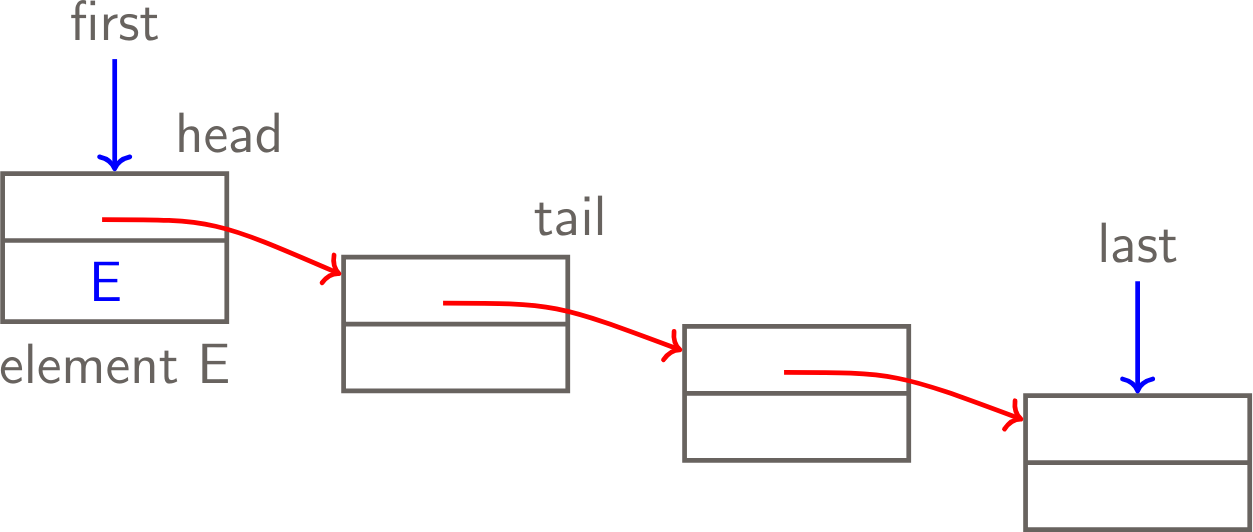
Illustration: Defining a linked list in Java
public class LinkedList {
    private Node first;
    private Node last;
    public LinkedList() {
        last = first = null;
    }
    public void add(Object element) {
        // add element to the end
    }
    public void remove() {
        // remove element from the front
    }
    public Object getHead() {
        // return the head of the list
    }
    public LinkedList getTail() {
        // return the tail of the list
    }
}
Illustration: Defining a Node
public class Node {
    private Node next;
    private Object element;
    public Node(Object element, Node next) {
        this.element = element;
        this.next = next;
    }

    public Object getElement() { return element; }
    public void setElement() {
        this.element = element;
    }

    public Node getNext() { return next; }
    public void setNext(Node next) {
        this.next = next;
    }
}
Generics to the rescue!
public class LinkedList<T> {
    private Node<T> first;
    private Node<T> last;
    //...
public class Node<T> {
private Node<T> next;
private T element;
//...
}Design Concerns: Memory Leaks
- Memory leaks are serious programming errors-hard to debug
- They happen when references are maintained to objects no longer in use
- The garbage collector cannot reclaim the space
Effective Java: Item 7 Eliminate Obsolete Object References
- Memory leaks can be difficult to spot
- Code with a memory leak can appear to work fine for years
- Might only cause problems in extreme cases
- It is worth knowing patterns to avoid
- Download the code here
Design Concerns: Entanglement
- Assignment statements such as
x = yresult in both x and y referring to the same object - changes carried out by invoking a method
x.set(v)- alter the object
- are visible to y when invoking
y.get()
- Often this is not the desired outcome
Entanglement Example
// Simple Mutable object
public class Mutable {
    private int x;

    public Mutable(int x) {
        this.x = x;
    }

    public int getX() {
        return x;
    }

    public void setX(int x) {
        this.x = x;
    }
}
void main() {
Mutable m1 = new Mutable(1);
Mutable m2 = m1;
IO.println("m1.getX() = " + m1.getX()); // 1
IO.println("m2.getX() = " + m2.getX()); // 1
m2.setX(2);
IO.println("m1.getX() = " + m1.getX()); // 2
IO.println("m2.getX() = " + m2.getX()); // 2
}Object Cloning
- Cloning is a powerful, but controversial, feature in Java
- Java provides two forms of cloning
- shallow – a new object is created and the fields of the original are copied without change
- Default strategy provided by
Object.clone()
- Default strategy provided by
- deep – a new object is created and cloning is applied recursively to each field
- Must override
clone()to implement this strategy
- Must override
- shallow – a new object is created and the fields of the original are copied without change
- Great care needs to be exercised to apply it correctly
- It is generally recommended to provide a copy constructor
Cloning vs Copy Constructor
- Copy constructor is easier as we do not need to handle
CloneNotSupportedException clonemethod returns Object which we then need to cast- We cannot assign to final fields in clone method
Cloning vs Copy Constructor
public class BadClone
  implements Cloneable {
    private final int x;

    public BadClone(int x) {
        this.x = x;
    }

    // Omits throws for brevity
    @Override
    protected Object clone() {
        BadClone badClone =
          (BadClone) super.clone();
        // Can't change x!
        // badClone.x = 5;
        return badClone;
    }
}
public class GoodClone {
private final int x;
public GoodClone(int x) {
this.x = x;
}
// Copy constructor
public GoodClone(GoodClone other) {
// I can now set x!
this.x = other.x + 1;
}
}Design Concerns: Encapsulation Cracks
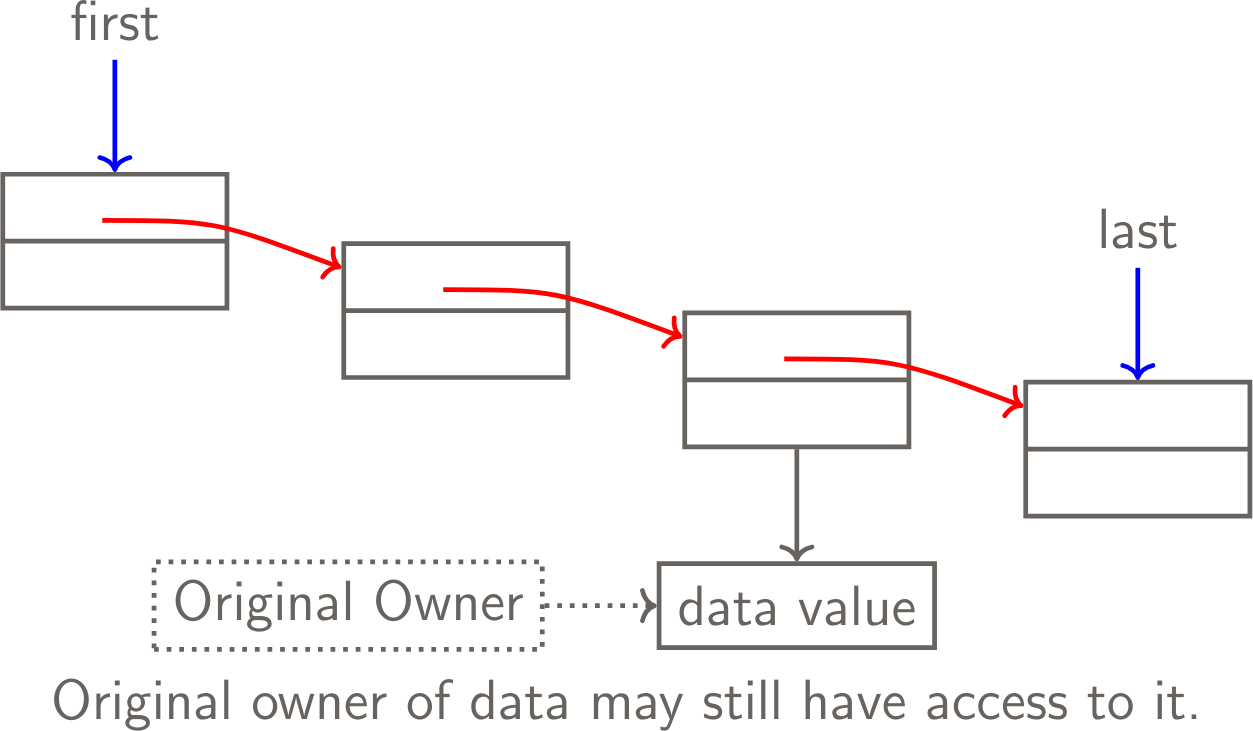
- The object creator retaining access:
- exposes access to the data structure internals
- introduces side effects that break the class contract
- cloning/copying is one way to avoid this design flaw
Illustration: Creator Retaining Access
Design Concerns: Encapsulation Cracks
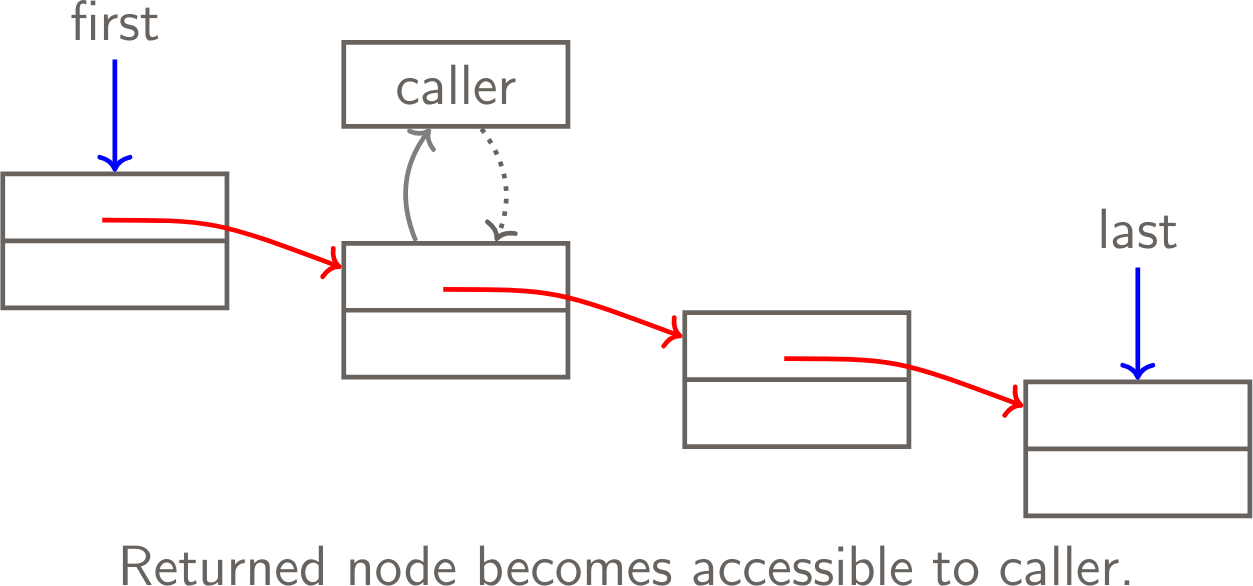
- An internal object is returned to the caller
- providing access to the data structure internals
- enabling side effects that break the class contract
- creating the potential to break the integrity of the data structure
Illustration: Returning Internal Object
Collections
- Collections or containers:
- allow programmers to hold and organize sets of objects
- in useful and efficient ways
- as part of consistent and flexible framework
- Java provides us with many standard collection interfaces and implementations
Core Collection Interfaces
- Collection – root of the collection hierarchy
- Set – no duplicates
- List – ordered collection, sequence
- Queue – holds elements for processing
- Deque – double ended queue
- Map – maps keys to values
Collection Interface
- size, isEmpty
- contains
- add, addAll
- remove, removeAll, retainAll, clear
- toArray
- iterator (because Collection implements Iterable)
- Optional methods that are not supported by a specific implementation throw UnsupportedOperationException
List
- add, addAll – add to end of the list
- remove – removes first occurrence
- iterator, listIterator
- indexOf, lastIndexOf – find index of element
- get, set – access element at given index
- subList – view portion of list as a List
Queue
- Insert – add, offer
- Remove – remove, poll
- Examine – element, peek
- Queues usually use FIFO order.
- PriorityQueue will use natural ordering or a Comparator.
Map
- Maps keys to values. Does not implement Collection itself, but has three collection views
- keySet – Set of the keys
- values – Collection of values
- entrySet – Set of key-value mappings.
- Beware of using mutable objects as keys!
- put – associate a key with a value
- get – get value associated with key
- remove – remove key/value mapping
- containsKey, containsValue
Bad Map
- What would be so bad about having mutable keys?
- Well once you change an element in the key which contributes to say the hashing function it won’t work in the map anymore!
- Example code
Iterator and Iterable
- Iterator has three methods
- hasNext – Are there more elements?
- next – Return the next element
- remove – Remove the last element returned (optional)
- Iterable only has one method
- iterator – returns an Iterator
- Implementing this interface allows object to be target of for-each
Iterator
- The ability to examine an entire collection of objects is a helpful feature
- Java provides the Iterable interface specifically for this purpose
- A specific iterator may or may not take a snapshot first
- If not, use of other methods may affect the results
Iterator: Protecting Encapsulation
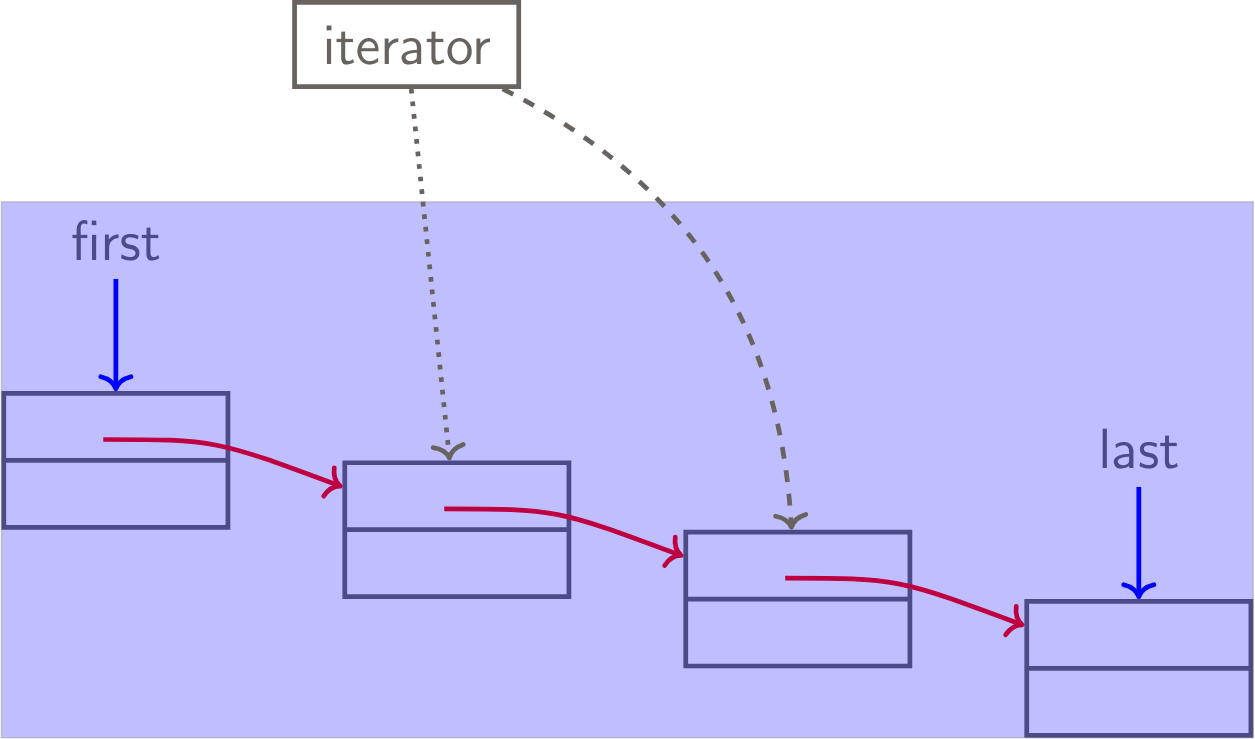
- The iterator:
- is made available outside the collection
- does not reveal anything about the internal organization
- has access to the internal organization of the data
Iterator: Protecting Encapsulation
Data Structure Design
- Research has led to the development of an arsenal of specialized data structures
- Search and use them when developing a new program
- Don’t reinvent the wheel